Version 0.1.6 of Adminita went up today. After using it with the Djangify eBuilder I was able to find a number of things missing that have been added including:
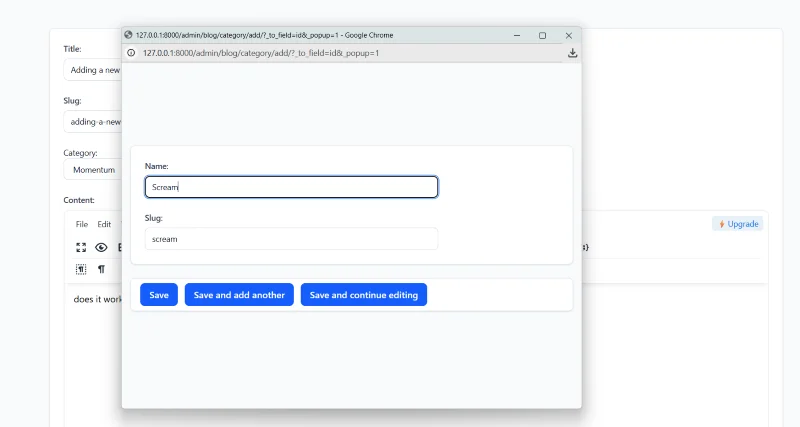
Save and Add Another plus Save And Continue Editing
Both buttons were missing from the page. They have now both been included.
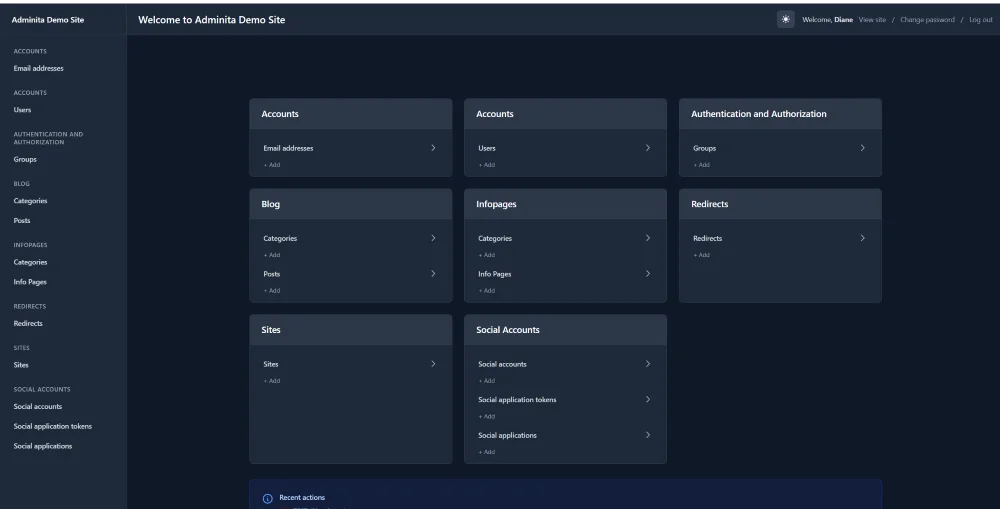
Updated Sidebar
In older versions when you moved away from the main homepage the sidebar links all disappeared. Now they have been added to be persistent across all pages using context_processors.py
Toggle and Delete
The ability to toggle different sections when creating a Page. This is important because there were so many moving parts. It was a little bit of a challenge to implement but now all items on a page will toggle. They are closed by default. I found it annoying to have them open by default and every time I used the Save and Continue Editing button I then had to close them all.
For each section the ability to delete them was not showing. Now there is a delete checkbox for each item added on Pages.
Toggle was also added to other apps and sections.
History Button Returned
On each page i noticed the History Button and the View on Site button was missing, so they are now showing up in Adminita 0.1.6
Downgraded Django
As of December 2025 Django 6 is still fairly new so Adminita (and the eBuilder it was created for) are now using Django 5.2 instead. The more stable version which will be supported for another 3 years.
Gallery Images
There was an error with thumbnails not showing on the gallery page. This was a readonly rendering issue. The template was using {{ field.field }} for all fields, but Django's admin provides readonly field content through {{ field.contents }} instead. For readonly fields that are callable methods on the ModelAdmin/InlineAdmin, Django calls the method and makes the rendered HTML available via field.contents. Once that was fixed thumbnail images now appear.
That's everything for the current updates.